How to Batch Resize Images on Mac (Free & Easy)
Discover how to batch resize images on mac with this online web tool without losing quality.
This step-by-step guide shows you the fastest, most private way to use ProBatchResizer.
Perfect for social media, eCommerce, and websites—resize hundreds of photos in seconds, completely free.
Professional users resize thousands of images every single day. Bloggers prepare visuals for Pinterest. E-commerce sellers optimize product photos for Amazon and Shopify. Social media managers create perfect assets for Instagram, TikTok, and LinkedIn.
Nowadays, time is the most valuable resource. Manual resizing wastes hours and often ruins image quality. Smart users can now batch resize images online with a single click. They finish in minutes what used to take hours.
This guide walks you through the exact process. You learn how to resize multiple photos at once while keeping every detail sharp. The best part? You do it all in your browser with zero software installs and complete privacy.
Key Highlights
- Batch resize up to 100 images at once directly on your Mac.
- Maintain original quality with advanced smart resampling.
- 100% local processing in your browser — your images never leave your Mac.
- Access 130+ ready-made presets for Instagram, TikTok, LinkedIn, and more.
- Fast performance optimized for macOS with smooth, responsive processing.
Why Batch Resize Images Matters?
Digital content grows faster than ever. Platforms demand exact dimensions. Instagram Stories need 1080×1920. Amazon product images perform best at 2000 pixels on the longest side. Website thumbnails load quicker when sized correctly.
When you batch resize images, you achieve three big wins:
- Save hours of repetitive work
- Improve website speed and SEO
- Maintain consistent branding across all channels
The old way—opening each photo in Photoshop—feels outdated. Modern users choose browser-based tools that process everything locally and instantly.
The Easiest Way: How to Batch Resize Images Online
ProBatchResizer.com stands out as the top choice for product owners who want speed, privacy, and quality. Here is the complete process.
Step 1: Visit ProBatchResizer.com
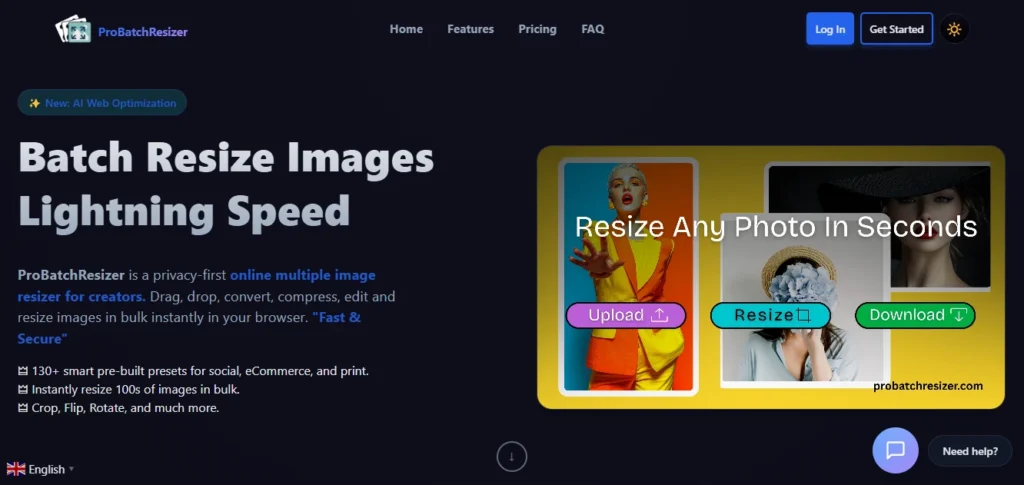
Open your browser and go to probatchresizer.com. The clean interface loads instantly. No account or sign-up is required.
Step 2: Upload Your Images
Drag and drop your photos or click to browse. The free plan handles up to 10 images per batch. Pro users process up to 100 at once.
Supported formats include JPG, PNG, and WebP. The tool accepts almost any common image format supported by modern browsers.
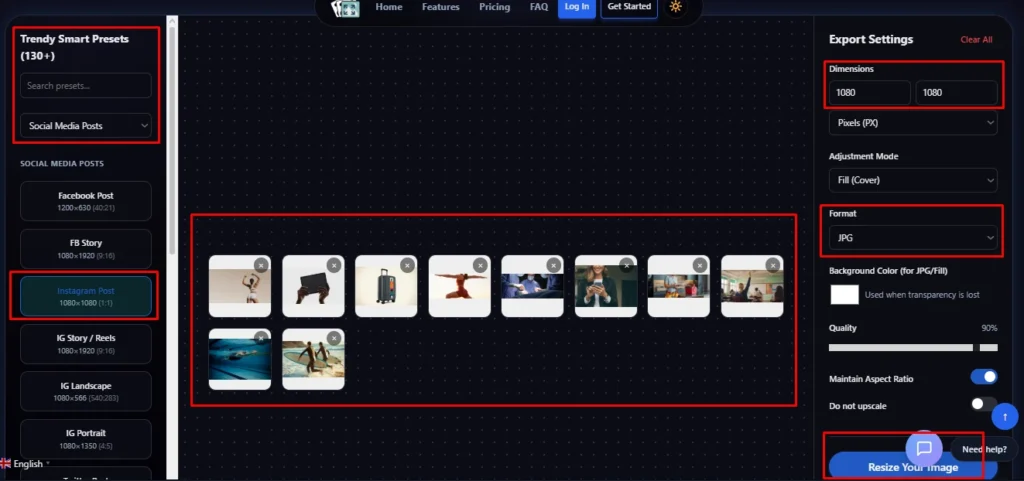
Step 3: Choose Your Settings
Pick from 130+ smart presets. Options exist for:
- Instagram, Facebook, and TikTok
- Amazon, Shopify, and Etsy product photos
- Website thumbnails and blog images
- Print-ready files with automatic DPI
Or set custom dimensions. Enter exact pixels, percentages, or even inches and centimetres for print jobs.
Step 4: Fine-Tune with Built-in Tools
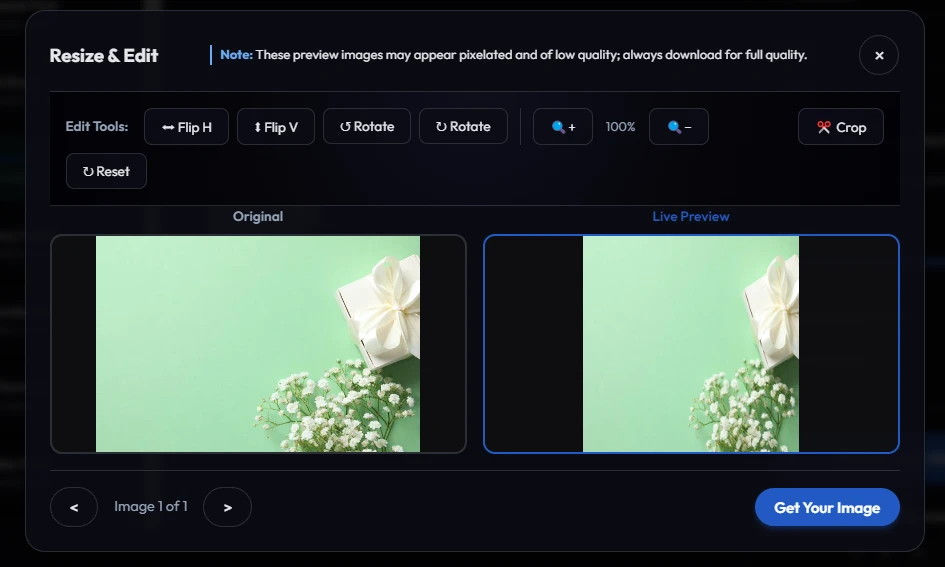
Crop, rotate, flip, or add smart padding before resizing. Replace transparent backgrounds with any colour when exporting to JPG. These quick edits happen right in the browser.
Step 5: Process and Download
Click “Resize” and watch the magic. Processing happens entirely on your device using advanced WebAssembly and multi-threading. Results appear in seconds.
Download individual files or one convenient ZIP archive.
How to Batch Resize Images on Mac (Simple Guide)
If you’re looking for the best way to batch resize images on Mac, you have a few options. macOS includes built-in tools, but depending on your needs, a dedicated mac image resizer may be faster and more flexible.
Below are the most practical methods.
Using Preview (Built Into macOS)
Preview allows you to batch resize photos without installing anything.
Steps:
- Select multiple images in Finder
- Right-click and open with Preview
- Press Command + A to select all
- Go to Tools → Adjust Size
- Enter your new dimensions
Preview works well for quick edits. However, it offers limited control over compression and does not include presets for social media or web optimization.
Best for: Occasional resizing Limitation: Basic controls only
Using Automator
Automator lets you create workflows to batch resize photos automatically.
It’s useful if you regularly resize images using the same settings. However, setup can feel technical and time-consuming for most users.
Best for: Advanced Mac users Limitation: Complex setup
Using an Online Mac Image Resizer
If you want a faster and simpler way to batch resize images on Mac, using a browser-based mac image resizer like ProBatchResizer is often more efficient.
Because it runs locally in your browser, your images never leave your device. There’s no installation required, and you get more control over dimensions and output quality.
Why many users prefer this method:
- Fast bulk resizing
- Custom width and height settings
- Maintains original aspect ratio
- Presets for websites and social platforms
- Local processing for privacy
If you’ve been wondering how to batch resize photos on Mac without dealing with complicated workflows, this approach removes unnecessary steps.
How to Resize an Image Online Without Losing Quality
Quality loss happens when tools use poor resampling or over-compress files. ProBatchResizer avoids this problem completely.
The tool uses smart resampling algorithms that preserve crisp edges and accurate colours. You control the output quality slider to balance file size and visual perfection.
Real-world test: A 6000×4000-pixel photo resized to 1200×800 remains sharp enough for large web banners. Users report no visible degradation when following the recommended settings.
Comparison of Batch Resizing Tools
| Tool | Platform | Ease of Use | Speed | Processing | Pricing | Batch Limit | Best For |
|---|---|---|---|---|---|---|---|
| ProBatchResizer | Mac, Windows, Browser | Very Easy | Very Fast | 100% Local (Browser) | Free / $5 Pro | 10 Free / 100 Pro | Bulk resizing for web & social |
| Mac Preview | Mac Only | Easy | Fast | Local | Free (Built-in) | Unlimited | Basic resizing on Mac |
| Mac Automator | Mac Only | Moderate | Medium | Local | Free (Built-in) | Unlimited | Advanced Mac workflows |
| Photoshop | Mac & Windows | Moderate | Fast | Local | $22.99/month | Unlimited | Professional editing |
| Lightroom | Mac & Windows | Easy | Medium | Local | $9.99/month | Unlimited | Photographers |
| Other Online Tools | Browser | Easy | Varies | Server Upload | Free (Limited) | 10–50 | Quick one-time tasks |
Why ProBatchResizer Stands Out: It delivers desktop-level quality with browser convenience and full local processing on Mac — no uploads required.
Advanced Tips for Perfect Results
- Always start with the highest resolution originals
- Use the longest-side method for social media to maintain aspect ratios
- Enable smart compression only when file size matters more than tiny details
- Test one image first when using new presets
- For print projects, keep DPI at 300 and use inches or centimetres
These simple habits help you resize an image online without losing quality every single time.
Real-World Use Cases Most Users Love
- Ecommerce Sellers resize hundreds of product photos to exact Amazon specifications in minutes.
- Content Creators prepare the same image for Instagram feed, Stories, and Reels with one click.
- Real Estate Agents optimize property photos for MLS listings and their websites simultaneously.
- Bloggers create perfectly sized featured images and thumbnails that load fast on mobile.
Common Mistakes to Avoid
Many users stretch images instead of maintaining aspect ratios. Others choose low-quality settings to save space and end up with blurry results. Some upload sensitive client photos to random online tools and risk data breaches.
ProBatchResizer eliminates all these risks by processing everything locally and giving you full control over every setting.
Frequently Asked Questions (FAQs)
Visit ProBatchResizer.com, drag and drop your photos, choose a preset or custom size, and download the resized files instantly. The free plan handles up to 10 images per batch with no watermarks or hidden fees.
Use a tool that processes images locally in your browser and offers smart resampling. ProBatchResizer delivers excellent results by letting you control quality settings and maintain original aspect ratios.
Yes. ProBatchResizer includes 130+ presets for Instagram, TikTok, Facebook, and LinkedIn. You get perfect dimensions and file sizes every time.
With ProBatchResizer, your images never leave your device. All processing happens in the browser, so your photos stay private and secure.
The free version supports 10 images. Upgrade to Pro for up to 100 images per batch, plus faster processing and upcoming AI features like background removal.
Start Batch Resizing
Images Today
This year rewards speed and efficiency. Professionals who master batch image resizing finish projects faster and deliver better results.
Head to ProBatchResizer.com right now. Upload your first batch and see the difference for yourself.
Whether you need to resize 10 photos or 100, the tool handles everything with professional quality and complete peace of mind.